
AT THE COUNTER. OUT IN THE LOT.
Your car rental app.
Built for the workday.
Rental work happens beside the car as often as behind the counter. Bring your bookings, vehicle records, handover steps, and customer details with you in the VroomOS iPhone app.

HOW VROOMOS HELPS
Bring the rental record to the car.
At a handover, the details you need are practical: the correct vehicle, the customer's booking, the agreed rental, and the condition of the car. At return, you need to record what came back and review the relevant readings and history. A mobile car rental management app keeps that work connected to your rental desk.
VroomOS for iPhone gives authorized staff access to the company workspace while they work around the fleet. Look up a vehicle, open a booking, check the balance, or capture condition information during the rental workflow. Your team can also use the web app on a computer for desk work.
A CONNECTED RENTAL WORKFLOW
Put it to work in your rental company.
At the rental counter
Open the booking and review the customer, car, balance, and rental progress. Check what needs attention before pickup and keep the agreed details available to the staff member handling the customer.
Beside the vehicle
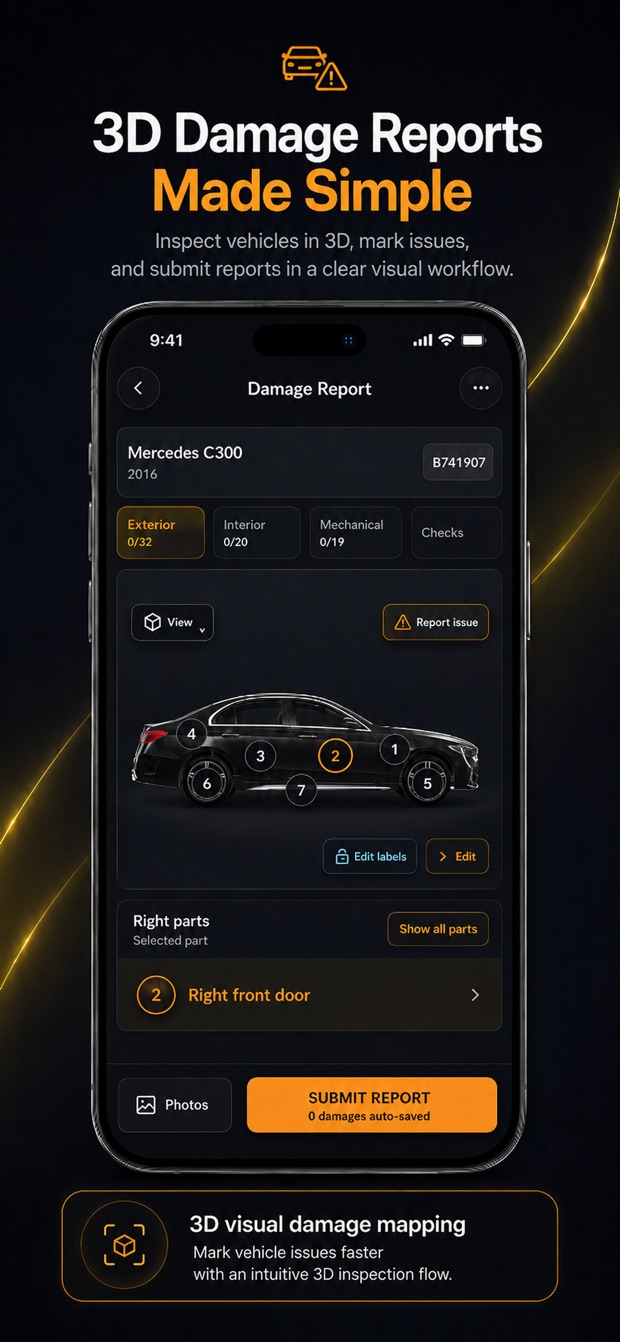
Use the configured preparation and handover workflow while looking at the actual car. Capture condition photos, fuel and mileage readings, and the relevant handover details in the rental context. Available steps depend on workspace setup.
Back at the desk
Continue working from the web app on a computer. Review vehicle records, bookings, payment records, and the rest of the company's operations in the shared workspace. Plan and account permissions determine the tools each team member can use.
Start with your company workspace.
Download VroomOS from the Apple App Store, then sign in to your company account. Authorized staff work inside the organization's workspace, with access based on the company's setup. Add your vehicles and customer records, configure the rental workflow, and review your subscription's vehicle and team limits before bringing the whole team into daily use.
Compare vehicle limits, team access, and included toolsCOMMON QUESTIONS
Before you get started.
Is VroomOS available on the Apple App Store?
Yes. The official VroomOS iPhone app is available on the Apple App Store. Use the download badge on this page to open the listing. A VroomOS company account is required to access your rental workspace.
Can I use VroomOS on a computer as well?
Yes. Open the VroomOS web app in your browser and sign in to your company workspace. The iPhone app supports work on the move, while the web app gives staff access at the rental desk.
Can I record vehicle condition on an iPhone?
VroomOS supports vehicle condition photos, damage records, and inspection details as part of rental operations. Pickup and return steps depend on your company's workflow configuration and the tools included in your plan.
CAR RENTAL SOFTWARE. MADE MOBILE.
Your next rental.
All in one workspace.
Feature availability depends on your plan and workspace configuration.